
 返回首页
返回首页
 回到顶部
回到顶部

11.29
【目标任务】
这个帖子,记录的是修改小智代码,用面包板小智+L298N电机驱动+2电机做的一个基于小智自然语音控制的小车。
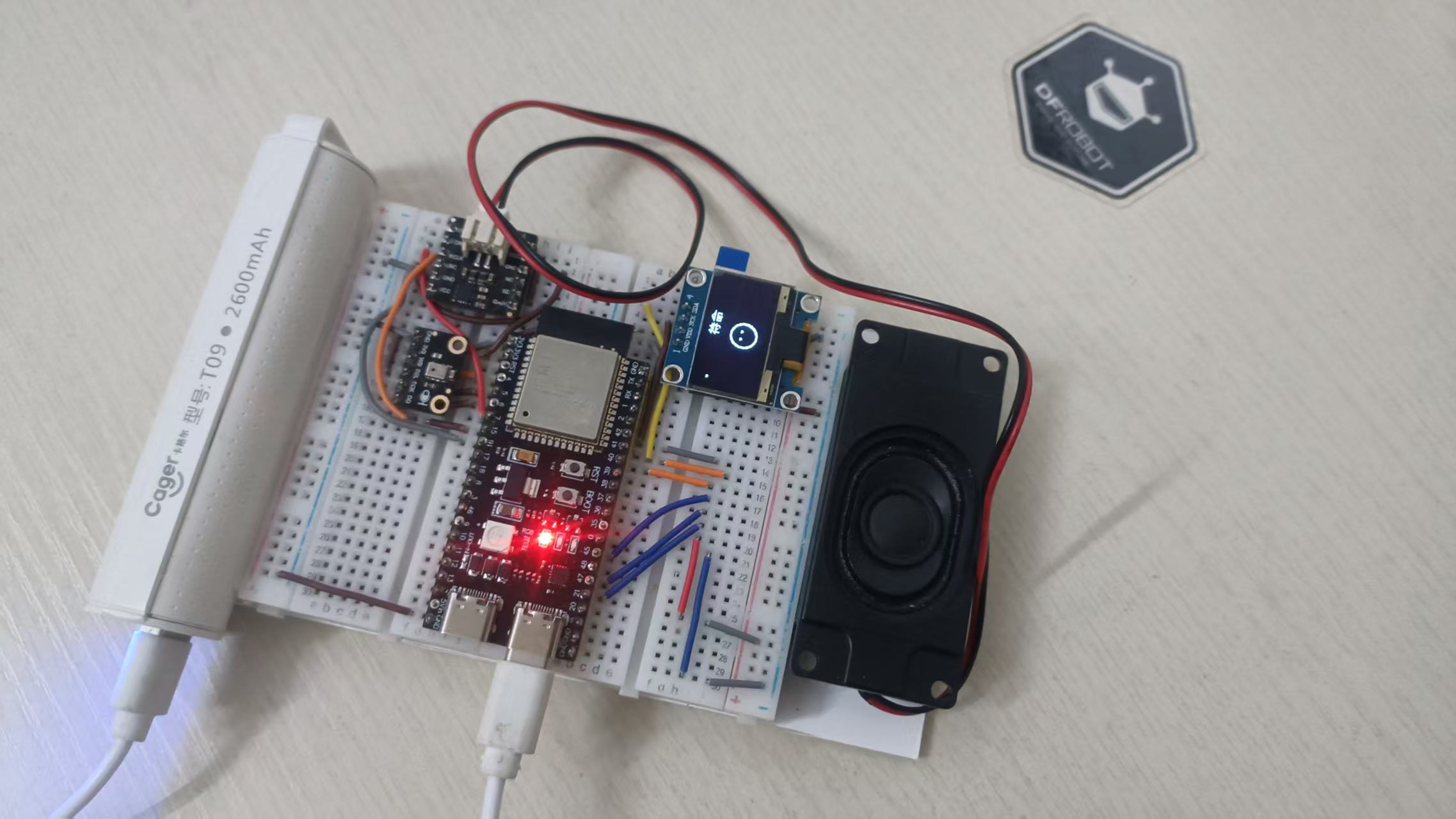
搭建小车前的面包板小智:
搭建小车静态测试状态时的小智:
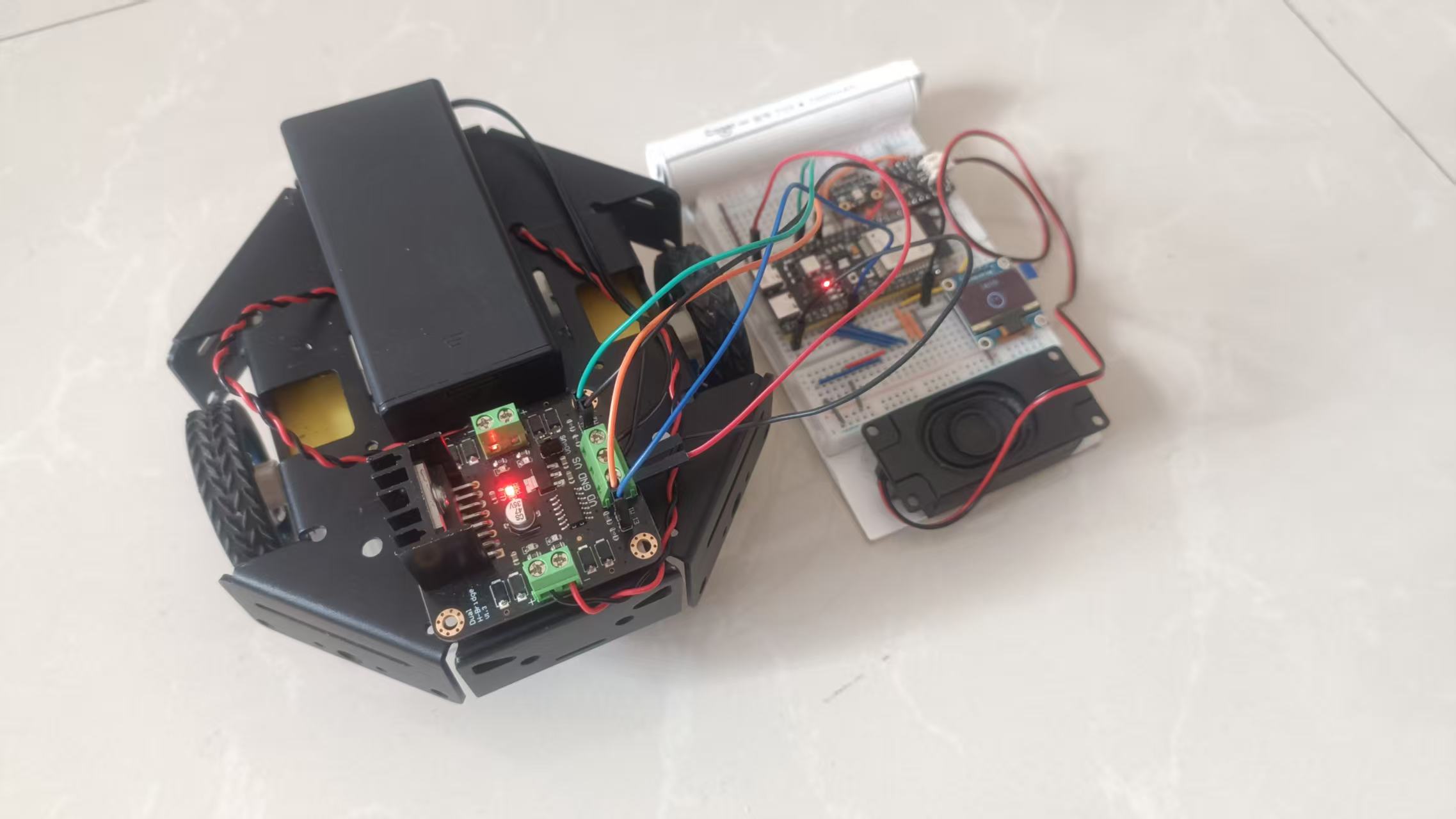
项目参考@云天老师教程完成。
用到的器材有:
步骤1 小车搭建
小车接线图:
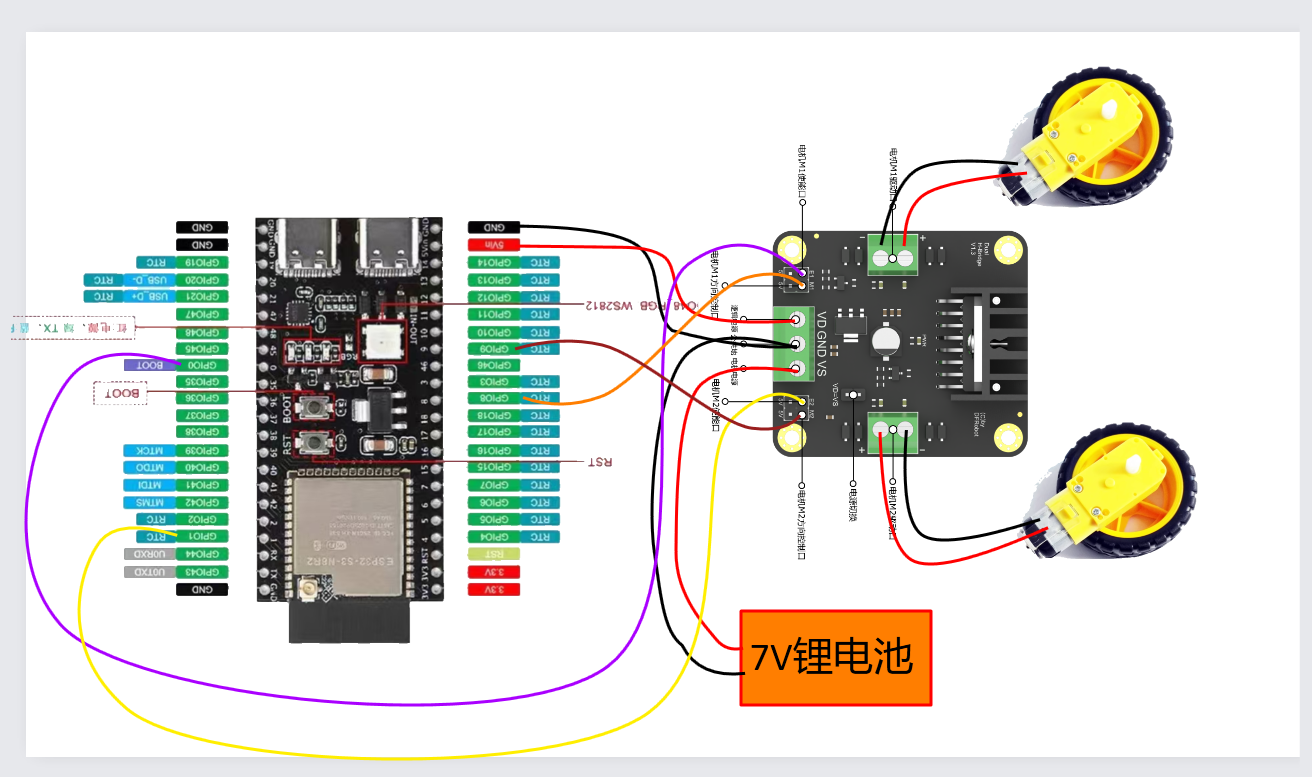
左电机:
PWM1 → GPIO0 (PWM速度控制)
DIR1 → GPIO8 (数字方向控制)
右电机:
PWM2 → GPIO1 (PWM速度控制)
DIR2 → GPIO9 (数字方向控制)
语音指令示例:
唤醒词:"你好小智"
"前进" → 小车以默认速度前进3秒
"快速前进速度200时间5秒" → 高速前进5秒
"左转2秒" → 左转2秒后自动停止
"后退慢速" → 低速后退3秒
"停止" → 立即停止
步骤2 集成方案开源代码
1. 新建电机驱动类(适配小智框架)
在main下新建motor.h和motor.cc
main\motor.h
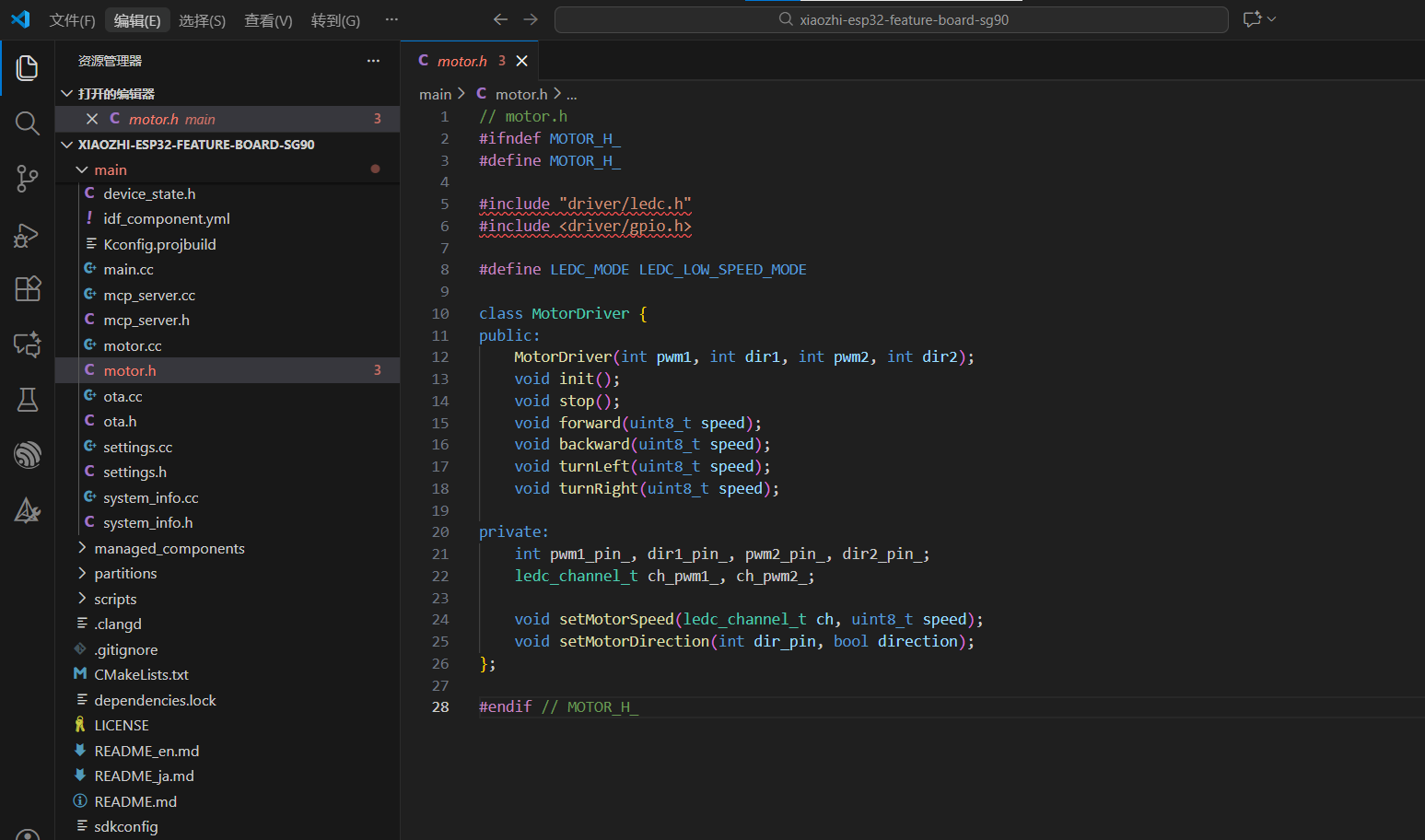
main\motor.cc
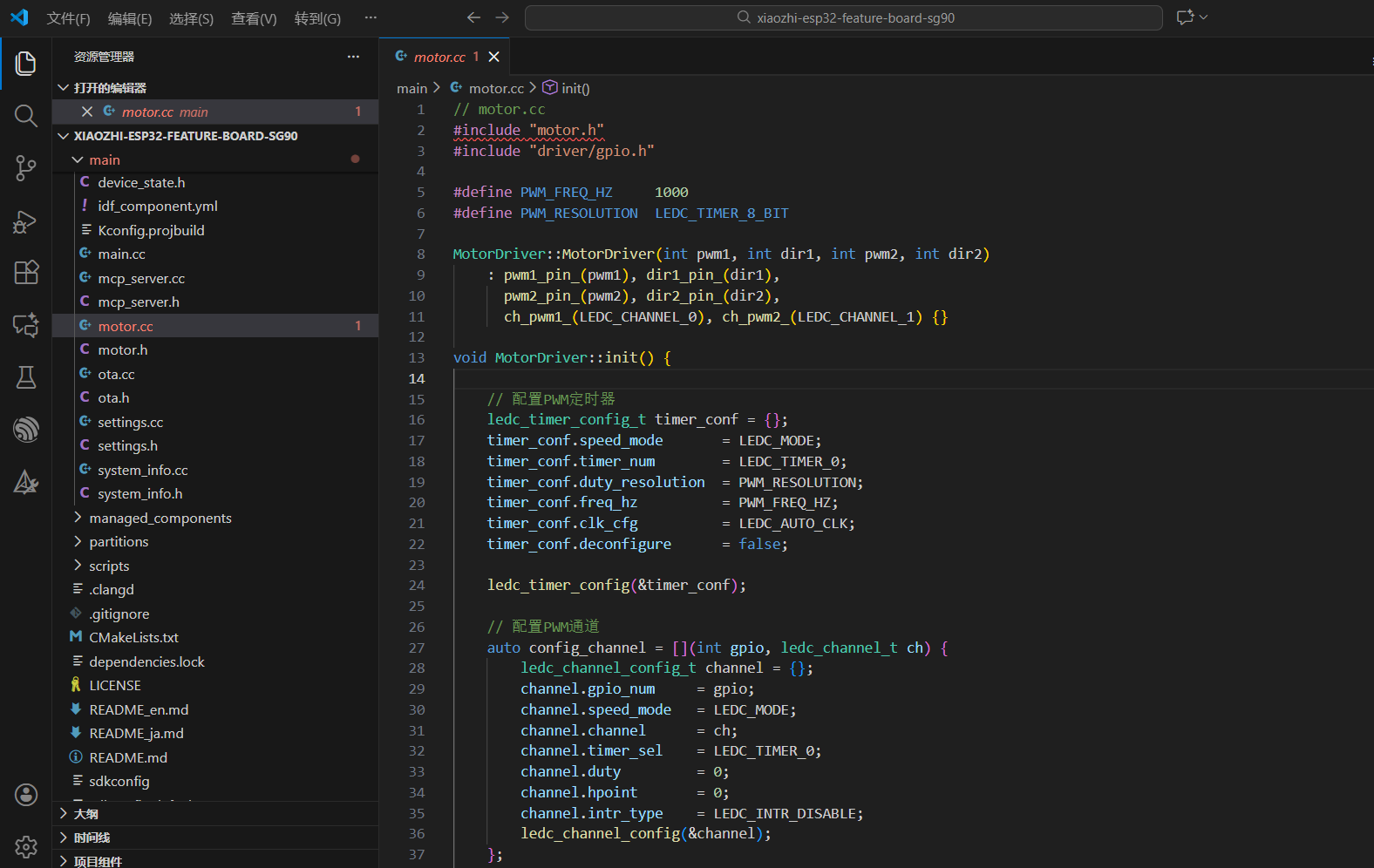
// motor.h
#ifndef MOTOR_H_
#define MOTOR_H_

#include "driver/ledc.h"
#include <driver/gpio.h>

#define LEDC_MODE LEDC_LOW_SPEED_MODE

class MotorDriver {
public:
    MotorDriver(int pwm1, int dir1, int pwm2, int dir2);
    void init();
    void stop();
    void forward(uint8_t speed);
    void backward(uint8_t speed);
    void turnLeft(uint8_t speed);
    void turnRight(uint8_t speed);

private:
    int pwm1_pin_, dir1_pin_, pwm2_pin_, dir2_pin_;
    ledc_channel_t ch_pwm1_, ch_pwm2_;

    void setMotorSpeed(ledc_channel_t ch, uint8_t speed);
    void setMotorDirection(int dir_pin, bool direction);
};

#endif // MOTOR_H_// motor.cc
#include "motor.h"
#include "driver/gpio.h"
#define PWM_FREQ_HZ 1000
#define PWM_RESOLUTION LEDC_TIMER_8_BIT
MotorDriver::MotorDriver(int pwm1, int dir1, int pwm2, int dir2)
: pwm1_pin_(pwm1), dir1_pin_(dir1),
pwm2_pin_(pwm2), dir2_pin_(dir2),
ch_pwm1_(LEDC_CHANNEL_0), ch_pwm2_(LEDC_CHANNEL_1) {}
void MotorDriver::init() {
// 配置PWM定时器
ledc_timer_config_t timer_conf = {};
timer_conf.speed_mode = LEDC_MODE;
timer_conf.timer_num = LEDC_TIMER_0;
timer_conf.duty_resolution = PWM_RESOLUTION;
timer_conf.freq_hz = PWM_FREQ_HZ;
timer_conf.clk_cfg = LEDC_AUTO_CLK;
timer_conf.deconfigure = false;
ledc_timer_config(&timer_conf);
// 配置PWM通道
auto config_channel = [](int gpio, ledc_channel_t ch) {
ledc_channel_config_t channel = {};
channel.gpio_num = gpio;
channel.speed_mode = LEDC_MODE;
channel.channel = ch;
channel.timer_sel = LEDC_TIMER_0;
channel.duty = 0;
channel.hpoint = 0;
channel.intr_type = LEDC_INTR_DISABLE;
ledc_channel_config(&channel);
};
config_channel(pwm1_pin_, ch_pwm1_);
config_channel(pwm2_pin_, ch_pwm2_);
// 配置方向引脚为GPIO输出
gpio_config_t io_conf = {};
io_conf.intr_type = GPIO_INTR_DISABLE;
io_conf.mode = GPIO_MODE_OUTPUT;
io_conf.pin_bit_mask = (1ULL << dir1_pin_) | (1ULL << dir2_pin_);
io_conf.pull_down_en = GPIO_PULLDOWN_DISABLE;
io_conf.pull_up_en = GPIO_PULLUP_DISABLE;
gpio_config(&io_conf);
// 初始状态:停止
stop();
}
void MotorDriver::setMotorSpeed(ledc_channel_t ch, uint8_t speed) {
ledc_set_duty(LEDC_MODE, ch, speed);
ledc_update_duty(LEDC_MODE, ch);
}
void MotorDriver::setMotorDirection(int dir_pin, bool direction) {
gpio_set_level((gpio_num_t)dir_pin, direction ? 1 : 0);
}
void MotorDriver::stop() {
setMotorSpeed(ch_pwm1_, 0);
setMotorSpeed(ch_pwm2_, 0);
}
void MotorDriver::forward(uint8_t speed) {
// DIR=1 正转
setMotorDirection(dir1_pin_, true); // 左电机正转
setMotorDirection(dir2_pin_, true); // 右电机正转
setMotorSpeed(ch_pwm1_, speed);
setMotorSpeed(ch_pwm2_, speed);
}
void MotorDriver::backward(uint8_t speed) {
// DIR=0 反转
setMotorDirection(dir1_pin_, false); // 左电机反转
setMotorDirection(dir2_pin_, false); // 右电机反转
setMotorSpeed(ch_pwm1_, speed);
setMotorSpeed(ch_pwm2_, speed);
}
void MotorDriver::turnLeft(uint8_t speed) {
// 左电机反转,右电机正转 - 原地左转
setMotorDirection(dir1_pin_, false); // 左电机反转
setMotorDirection(dir2_pin_, true); // 右电机正转
setMotorSpeed(ch_pwm1_, speed);
setMotorSpeed(ch_pwm2_, speed);
}
void MotorDriver::turnRight(uint8_t speed) {
// 左电机正转,右电机反转 - 原地右转
setMotorDirection(dir1_pin_, true); // 左电机正转
setMotorDirection(dir2_pin_, false); // 右电机反转
setMotorSpeed(ch_pwm1_, speed);
setMotorSpeed(ch_pwm2_, speed);
}2. 在小智面包板主代码中集成电机控制
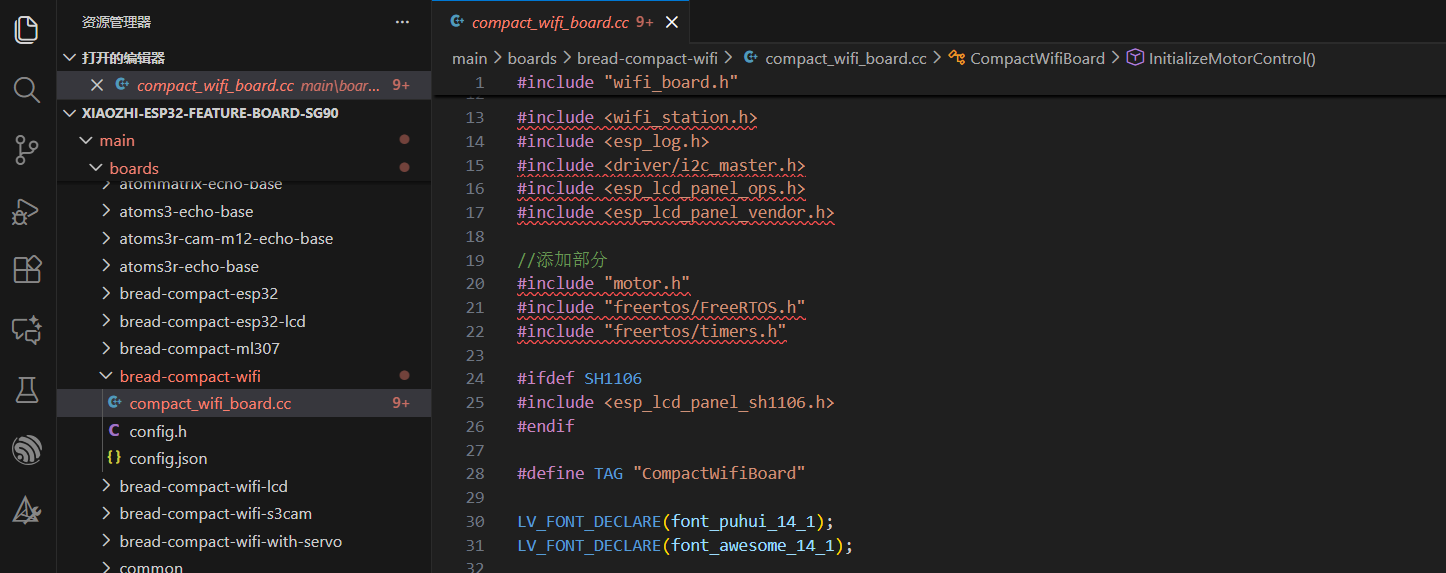
修改main\boards\bread-compact-wifi\compact_wifi_board.cc
主要代码:
// 在 wifi_board.h 或相应位置添加
#include "motor.h"
#include "freertos/FreeRTOS.h"
#include "freertos/timers.h"
class CompactWifiBoard : public WifiBoard {
private:
// ... 现有代码 ...
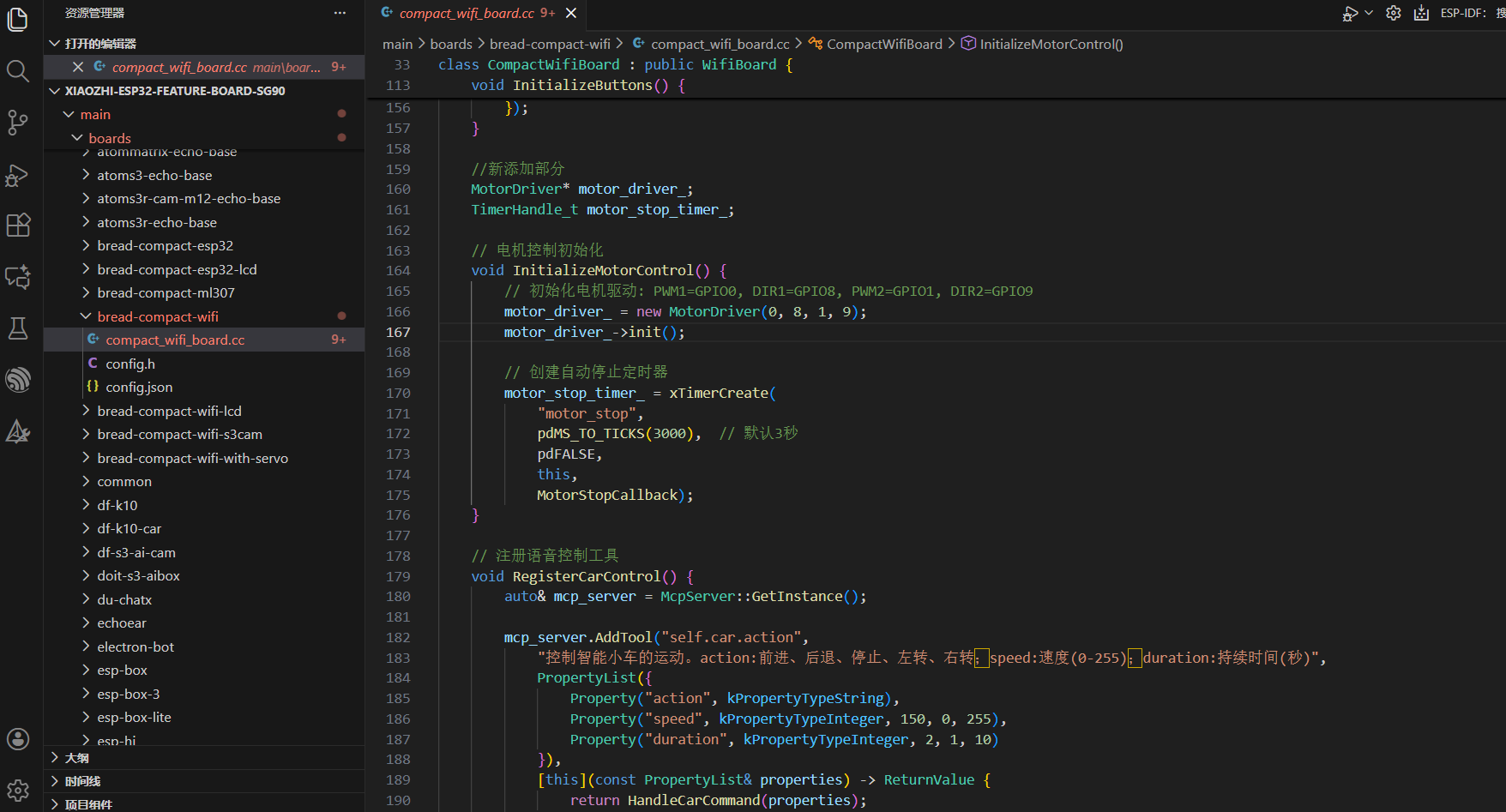
MotorDriver* motor_driver_;
TimerHandle_t motor_stop_timer_;
// 电机控制初始化
void InitializeMotorControl() {
// 初始化电机驱动: PWM1=GPIO0, DIR1=GPIO8, PWM2=GPIO1, DIR2=GPIO9
motor_driver_ = new MotorDriver(0, 8, 1, 9);
motor_driver_->init();
// 创建自动停止定时器
motor_stop_timer_ = xTimerCreate(
"motor_stop",
pdMS_TO_TICKS(3000), // 默认3秒
pdFALSE,
this,
MotorStopCallback);
}
// 注册语音控制工具
void RegisterCarControl() {
auto& mcp_server = McpServer::GetInstance();
mcp_server.AddTool("self.car.action",
"控制智能小车的运动。action:前进、后退、停止、左转、右转;speed:速度(0-255);duration:持续时间(秒)",
PropertyList({
Property("action", kPropertyTypeString),
Property("speed", kPropertyTypeInteger, 150, 0, 255),
Property("duration", kPropertyTypeInteger, 2, 1, 10)
}),
[this](const PropertyList& properties) -> ReturnValue {
return HandleCarCommand(properties);
});
}
ReturnValue HandleCarCommand(const PropertyList& properties) {
std::string action = properties["action"].value().c_str();
int speed = properties["speed"].value();
int duration = properties["duration"].value();
ESP_LOGI("CarControl", "执行: %s, 速度: %d, 时间: %d秒",
action.c_str(), speed, duration);
if (action == "前进") {
motor_driver_->forward(speed);
StartMotorTimer(duration);
return ReturnValue("小车前进中");
} else if (action == "后退") {
motor_driver_->backward(speed);
StartMotorTimer(duration);
return ReturnValue("小车后退中");
} else if (action == "左转") {
motor_driver_->turnLeft(speed);
StartMotorTimer(duration);
return ReturnValue("小车左转中");
} else if (action == "右转") {
motor_driver_->turnRight(speed);
StartMotorTimer(duration);
return ReturnValue("小车右转中");
} else if (action == "停止") {
motor_driver_->stop();
StopMotorTimer();
return ReturnValue("小车已停止");
} else {
return ReturnValue("未知指令,请说前进、后退、左转、右转或停止");
}
}
void StartMotorTimer(int duration_seconds) {
if (motor_stop_timer_) {
xTimerStop(motor_stop_timer_, 0);
xTimerChangePeriod(motor_stop_timer_, pdMS_TO_TICKS(duration_seconds * 1000), 0);
xTimerStart(motor_stop_timer_, 0);
}
}
void StopMotorTimer() {
if (motor_stop_timer_) {
xTimerStop(motor_stop_timer_, 0);
}
}
static void MotorStopCallback(TimerHandle_t xTimer) {
CompactWifiBoard* board = static_cast(pvTimerGetTimerID(xTimer));
board->motor_driver_->stop();
ESP_LOGI("MotorControl", "自动停止");
}
public:
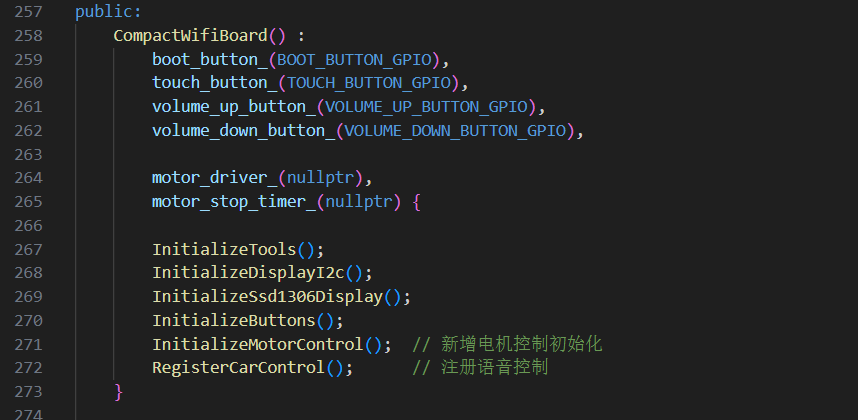
CompactWifiBoard() :
// ... 现有初始化 ...
motor_driver_(nullptr),
motor_stop_timer_(nullptr) {
InitializeDisplayI2c();
InitializeSsd1306Display();
InitializeButtons();
InitializeMotorControl(); // 新增电机控制初始化
RegisterCarControl(); // 注册语音控制
}
// ... 其他现有方法 ...
};
下面是修改后的完整代码文件:
#include "wifi_board.h"
#include "codecs/no_audio_codec.h"
#include "display/oled_display.h"
#include "system_reset.h"
#include "application.h"
#include "button.h"
#include "config.h"
#include "mcp_server.h"
#include "lamp_controller.h"
#include "led/single_led.h"
#include "assets/lang_config.h"

#include <wifi_station.h>
#include <esp_log.h>
#include <driver/i2c_master.h>
#include <esp_lcd_panel_ops.h>
#include <esp_lcd_panel_vendor.h>

//添加部分
#include "motor.h"
#include "freertos/FreeRTOS.h"
#include "freertos/timers.h"

#ifdef SH1106
#include <esp_lcd_panel_sh1106.h>
#endif

#define TAG "CompactWifiBoard"

LV_FONT_DECLARE(font_puhui_14_1);
LV_FONT_DECLARE(font_awesome_14_1);

class CompactWifiBoard : public WifiBoard {
private:
    i2c_master_bus_handle_t display_i2c_bus_;
    esp_lcd_panel_io_handle_t panel_io_ = nullptr;
    esp_lcd_panel_handle_t panel_ = nullptr;
    Display* display_ = nullptr;
    Button boot_button_;
    Button touch_button_;
    Button volume_up_button_;
    Button volume_down_button_;

    void InitializeDisplayI2c() {
        i2c_master_bus_config_t bus_config = {
            .i2c_port = (i2c_port_t)0,
            .sda_io_num = DISPLAY_SDA_PIN,
            .scl_io_num = DISPLAY_SCL_PIN,
            .clk_source = I2C_CLK_SRC_DEFAULT,
            .glitch_ignore_cnt = 7,
            .intr_priority = 0,
            .trans_queue_depth = 0,
            .flags = {
                .enable_internal_pullup = 1,
            },
        };
        ESP_ERROR_CHECK(i2c_new_master_bus(&bus_config, &display_i2c_bus_));
    }

    void InitializeSsd1306Display() {
        // SSD1306 config
        esp_lcd_panel_io_i2c_config_t io_config = {
            .dev_addr = 0x3C,
            .on_color_trans_done = nullptr,
            .user_ctx = nullptr,
            .control_phase_bytes = 1,
            .dc_bit_offset = 6,
            .lcd_cmd_bits = 8,
            .lcd_param_bits = 8,
            .flags = {
                .dc_low_on_data = 0,
                .disable_control_phase = 0,
            },
            .scl_speed_hz = 400 * 1000,
        };

        ESP_ERROR_CHECK(esp_lcd_new_panel_io_i2c_v2(display_i2c_bus_, &io_config, &panel_io_));

        ESP_LOGI(TAG, "Install SSD1306 driver");
        esp_lcd_panel_dev_config_t panel_config = {};
        panel_config.reset_gpio_num = -1;
        panel_config.bits_per_pixel = 1;

        esp_lcd_panel_ssd1306_config_t ssd1306_config = {
            .height = static_cast<uint8_t>(DISPLAY_HEIGHT),
        };
        panel_config.vendor_config = &ssd1306_config;

#ifdef SH1106
        ESP_ERROR_CHECK(esp_lcd_new_panel_sh1106(panel_io_, &panel_config, &panel_));
#else
        ESP_ERROR_CHECK(esp_lcd_new_panel_ssd1306(panel_io_, &panel_config, &panel_));
#endif
        ESP_LOGI(TAG, "SSD1306 driver installed");

        // Reset the display
        ESP_ERROR_CHECK(esp_lcd_panel_reset(panel_));
        if (esp_lcd_panel_init(panel_) != ESP_OK) {
            ESP_LOGE(TAG, "Failed to initialize display");
            display_ = new NoDisplay();
            return;
        }
        ESP_ERROR_CHECK(esp_lcd_panel_invert_color(panel_, false));

        // Set the display to on
        ESP_LOGI(TAG, "Turning display on");
        ESP_ERROR_CHECK(esp_lcd_panel_disp_on_off(panel_, true));

        display_ = new OledDisplay(panel_io_, panel_, DISPLAY_WIDTH, DISPLAY_HEIGHT, DISPLAY_MIRROR_X, DISPLAY_MIRROR_Y,
            {&font_puhui_14_1, &font_awesome_14_1});
    }

    void InitializeButtons() {
        boot_button_.OnClick([this]() {
            auto& app = Application::GetInstance();
            if (app.GetDeviceState() == kDeviceStateStarting && !WifiStation::GetInstance().IsConnected()) {
                ResetWifiConfiguration();
            }
            app.ToggleChatState();
        });
        touch_button_.OnPressDown([this]() {
            Application::GetInstance().StartListening();
        });
        touch_button_.OnPressUp([this]() {
            Application::GetInstance().StopListening();
        });

        volume_up_button_.OnClick([this]() {
            auto codec = GetAudioCodec();
            auto volume = codec->output_volume() + 10;
            if (volume > 100) {
                volume = 100;
            }
            codec->SetOutputVolume(volume);
            GetDisplay()->ShowNotification(Lang::Strings::VOLUME + std::to_string(volume));
        });

        volume_up_button_.OnLongPress([this]() {
            GetAudioCodec()->SetOutputVolume(100);
            GetDisplay()->ShowNotification(Lang::Strings::MAX_VOLUME);
        });

        volume_down_button_.OnClick([this]() {
            auto codec = GetAudioCodec();
            auto volume = codec->output_volume() - 10;
            if (volume < 0) {
                volume = 0;
            }
            codec->SetOutputVolume(volume);
            GetDisplay()->ShowNotification(Lang::Strings::VOLUME + std::to_string(volume));
        });

        volume_down_button_.OnLongPress([this]() {
            GetAudioCodec()->SetOutputVolume(0);
            GetDisplay()->ShowNotification(Lang::Strings::MUTED);
        });
    }

    //新添加部分
    MotorDriver* motor_driver_;
    TimerHandle_t motor_stop_timer_;

    // 电机控制初始化
    void InitializeMotorControl() {
        // 初始化电机驱动: PWM1=GPIO0, DIR1=GPIO8, PWM2=GPIO1, DIR2=GPIO9
        motor_driver_ = new MotorDriver(0, 8, 1, 9);
        motor_driver_->init();

        // 创建自动停止定时器
        motor_stop_timer_ = xTimerCreate(
            "motor_stop",
            pdMS_TO_TICKS(3000),  // 默认3秒
            pdFALSE,
            this,
            MotorStopCallback);
    }

    // 注册语音控制工具
    void RegisterCarControl() {
        auto& mcp_server = McpServer::GetInstance();

        mcp_server.AddTool("self.car.action",
            "控制智能小车的运动。action:前进、后退、停止、左转、右转;speed:速度(0-255);duration:持续时间(秒)",
            PropertyList({
                Property("action", kPropertyTypeString),
                Property("speed", kPropertyTypeInteger, 150, 0, 255),
                Property("duration", kPropertyTypeInteger, 2, 1, 10)
            }),
            [this](const PropertyList& properties) -> ReturnValue {
                return HandleCarCommand(properties);
            });
    }

    ReturnValue HandleCarCommand(const PropertyList& properties) {
        std::string action = properties["action"].value<std::string>().c_str();
        int speed = properties["speed"].value<int>();
        int duration = properties["duration"].value<int>();

        ESP_LOGI("CarControl", "执行: %s, 速度: %d, 时间: %d秒",
                 action.c_str(), speed, duration);

        if (action == "前进") {
            motor_driver_->forward(speed);
            StartMotorTimer(duration);
            return ReturnValue("小车前进中");

        } else if (action == "后退") {
            motor_driver_->backward(speed);
            StartMotorTimer(duration);
            return ReturnValue("小车后退中");

        } else if (action == "左转") {
            motor_driver_->turnLeft(speed);
            StartMotorTimer(duration);
            return ReturnValue("小车左转中");

        } else if (action == "右转") {
            motor_driver_->turnRight(speed);
            StartMotorTimer(duration);
            return ReturnValue("小车右转中");

        } else if (action == "停止") {
            motor_driver_->stop();
            StopMotorTimer();
            return ReturnValue("小车已停止");

        } else {
            return ReturnValue("未知指令,请说前进、后退、左转、右转或停止");
        }
    }

    void StartMotorTimer(int duration_seconds) {
        if (motor_stop_timer_) {
            xTimerStop(motor_stop_timer_, 0);
            xTimerChangePeriod(motor_stop_timer_, pdMS_TO_TICKS(duration_seconds * 1000), 0);
            xTimerStart(motor_stop_timer_, 0);
        }
    }

    void StopMotorTimer() {
        if (motor_stop_timer_) {
            xTimerStop(motor_stop_timer_, 0);
        }
    }

    static void MotorStopCallback(TimerHandle_t xTimer) {
        CompactWifiBoard* board = static_cast<CompactWifiBoard*>(pvTimerGetTimerID(xTimer));
        board->motor_driver_->stop();
        ESP_LOGI("MotorControl", "自动停止");
    }//end

    // 物联网初始化,逐步迁移到 MCP 协议
    void InitializeTools() {
        static LampController lamp(LAMP_GPIO);
    }

public:
    CompactWifiBoard() :
        boot_button_(BOOT_BUTTON_GPIO),
        touch_button_(TOUCH_BUTTON_GPIO),
        volume_up_button_(VOLUME_UP_BUTTON_GPIO),
        volume_down_button_(VOLUME_DOWN_BUTTON_GPIO),

        motor_driver_(nullptr),
        motor_stop_timer_(nullptr) {

        InitializeTools();
        InitializeDisplayI2c();
        InitializeSsd1306Display();
        InitializeButtons();
        InitializeMotorControl();  // 新增电机控制初始化
        RegisterCarControl();      // 注册语音控制
    }

    virtual Led* GetLed() override {
        static SingleLed led(BUILTIN_LED_GPIO);
        return &led;
    }

    virtual AudioCodec* GetAudioCodec() override {
#ifdef AUDIO_I2S_METHOD_SIMPLEX
        static NoAudioCodecSimplex audio_codec(AUDIO_INPUT_SAMPLE_RATE, AUDIO_OUTPUT_SAMPLE_RATE,
            AUDIO_I2S_SPK_GPIO_BCLK, AUDIO_I2S_SPK_GPIO_LRCK, AUDIO_I2S_SPK_GPIO_DOUT, AUDIO_I2S_MIC_GPIO_SCK, AUDIO_I2S_MIC_GPIO_WS, AUDIO_I2S_MIC_GPIO_DIN);
#else
        static NoAudioCodecDuplex audio_codec(AUDIO_INPUT_SAMPLE_RATE, AUDIO_OUTPUT_SAMPLE_RATE,
            AUDIO_I2S_GPIO_BCLK, AUDIO_I2S_GPIO_WS, AUDIO_I2S_GPIO_DOUT, AUDIO_I2S_GPIO_DIN);
#endif
        return &audio_codec;
    }

    virtual Display* GetDisplay() override {
        return display_;
    }
};

DECLARE_BOARD(CompactWifiBoard);
3. 修改配置头文件
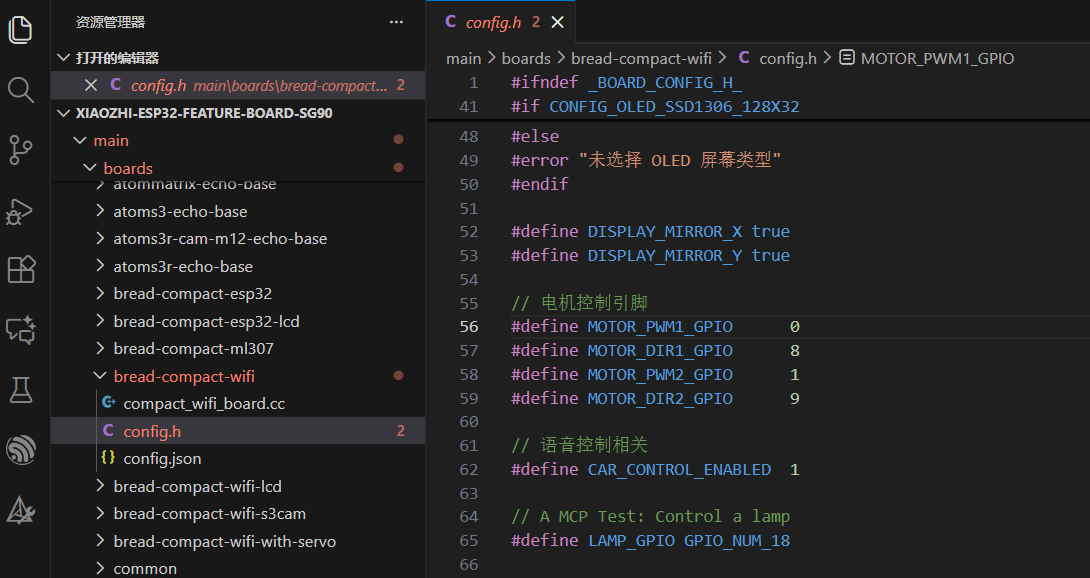
main\boards\bread-compact-wifi\config.h
在 config.h 中添加引脚定义:
// 电机控制引脚
#define MOTOR_PWM1_GPIO 0
#define MOTOR_DIR1_GPIO 8
#define MOTOR_PWM2_GPIO 1
#define MOTOR_DIR2_GPIO 9
// 语音控制相关
#define CAR_CONTROL_ENABLED 1
// config.h - 添加以下定义

// 电机控制引脚
#define MOTOR_PWM1_GPIO      0
#define MOTOR_DIR1_GPIO      8
#define MOTOR_PWM2_GPIO      1
#define MOTOR_DIR2_GPIO      9

// 语音控制相关
#define CAR_CONTROL_ENABLED  1
4. 编译配置
main\CMakeLists.txt
在 CMakeLists.txt中添加:
# 添加电机驱动源文件
set(SOURCES
motor.cc
# ... 其他源文件 ...
)
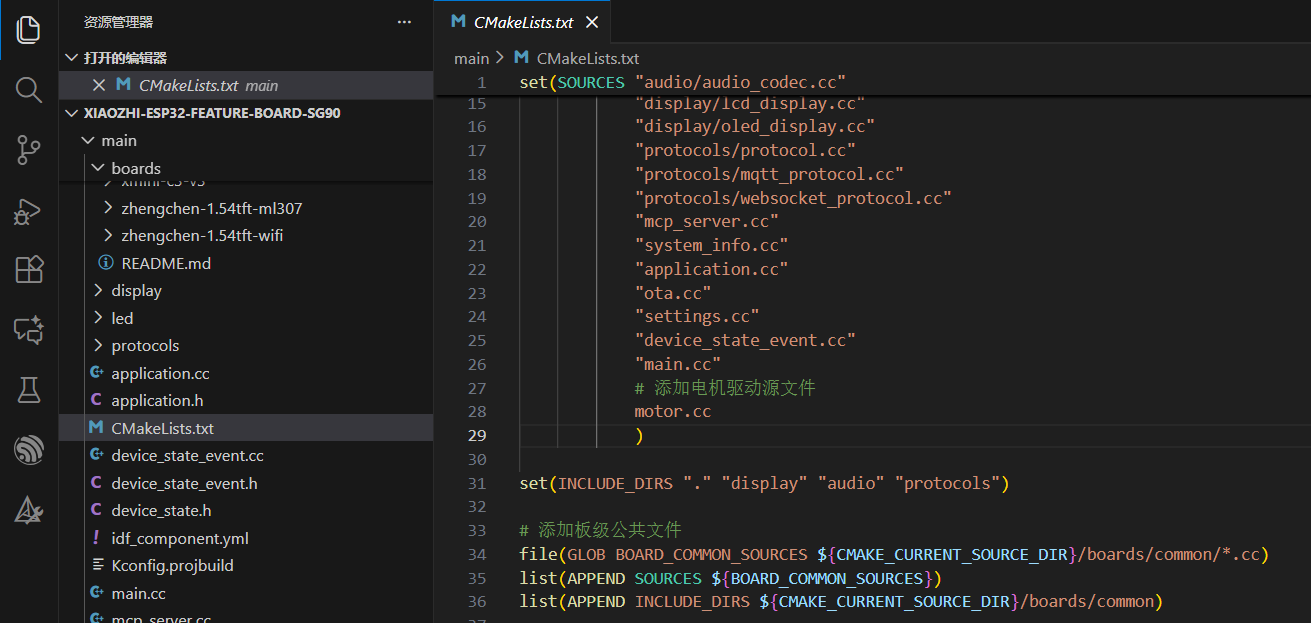
set(SOURCES
    # 添加电机驱动源文件
    motor.cc
    # ... 其他源文件 ...
)


 他的勋章
他的勋章
一秋2026.06.14
为什么小车动不了