
 返回首页
返回首页
 回到顶部
回到顶部

基于行空板M10探索多场景下与大语言模型进行语音聊天
现在智能聊天很是热门,我在教学中为了能够让学生体验自己动手制作和体验智能聊天,增加学习兴趣,考虑机器人硬件设备的局限性,从多方面实现了与大语言模型进行语音聊天的编程探索。
一、基于行空板实现与大语言模型聊天
1.硬件清单:
行空板M10一块。
USB喇叭一个。
2.实现环境:
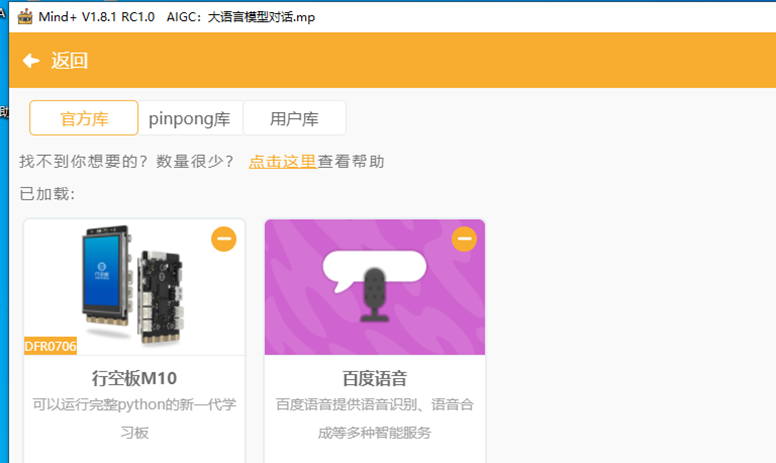
利用Mind+图形化编程软件python模式,为行空板提供WIFI上网信号,加载百度语音和Kimi图形化编程插件。
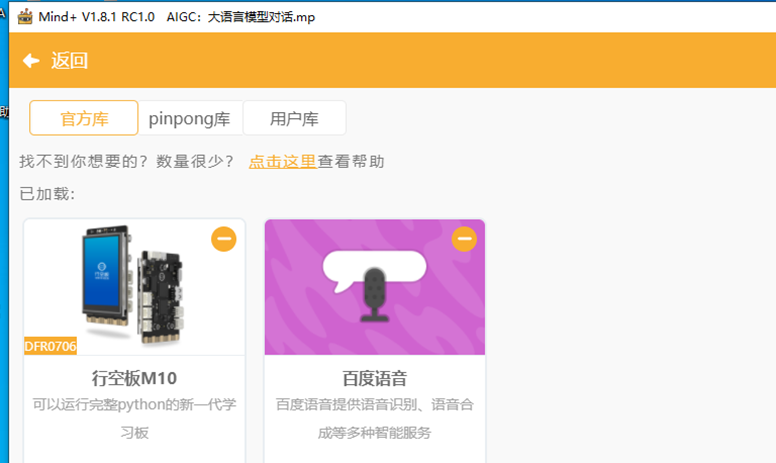
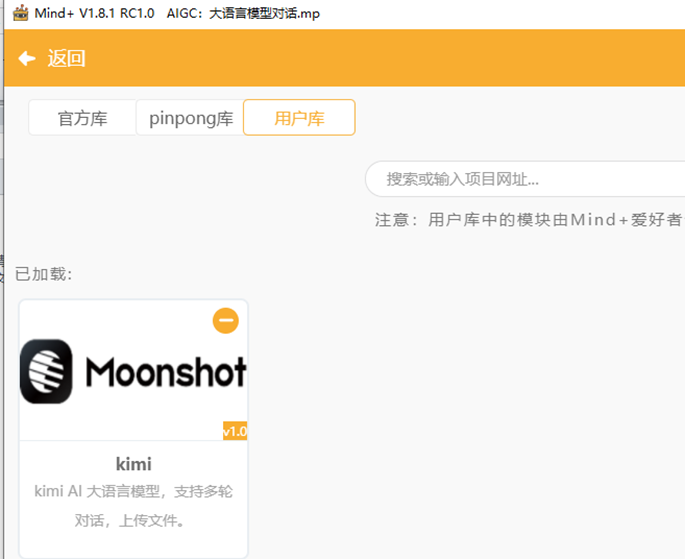
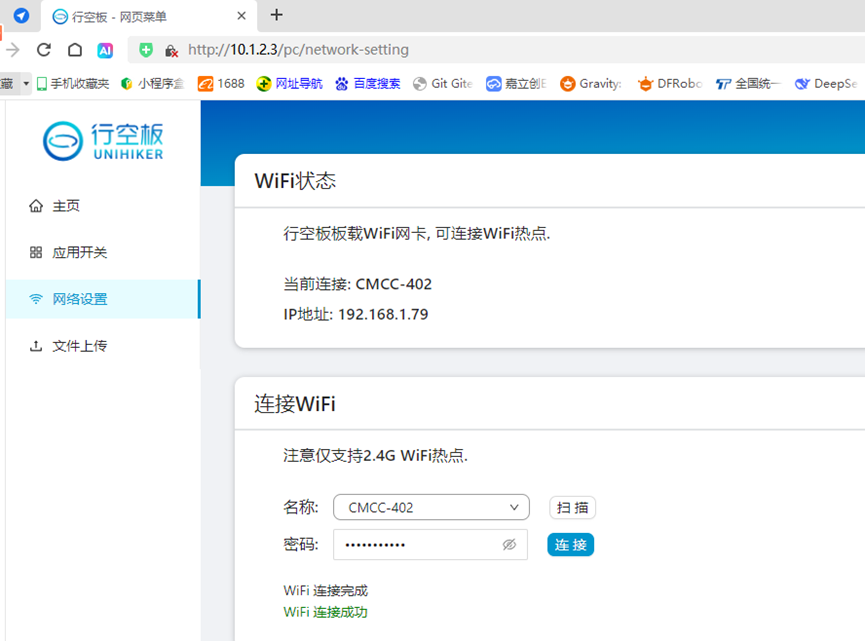
3.编程代码:
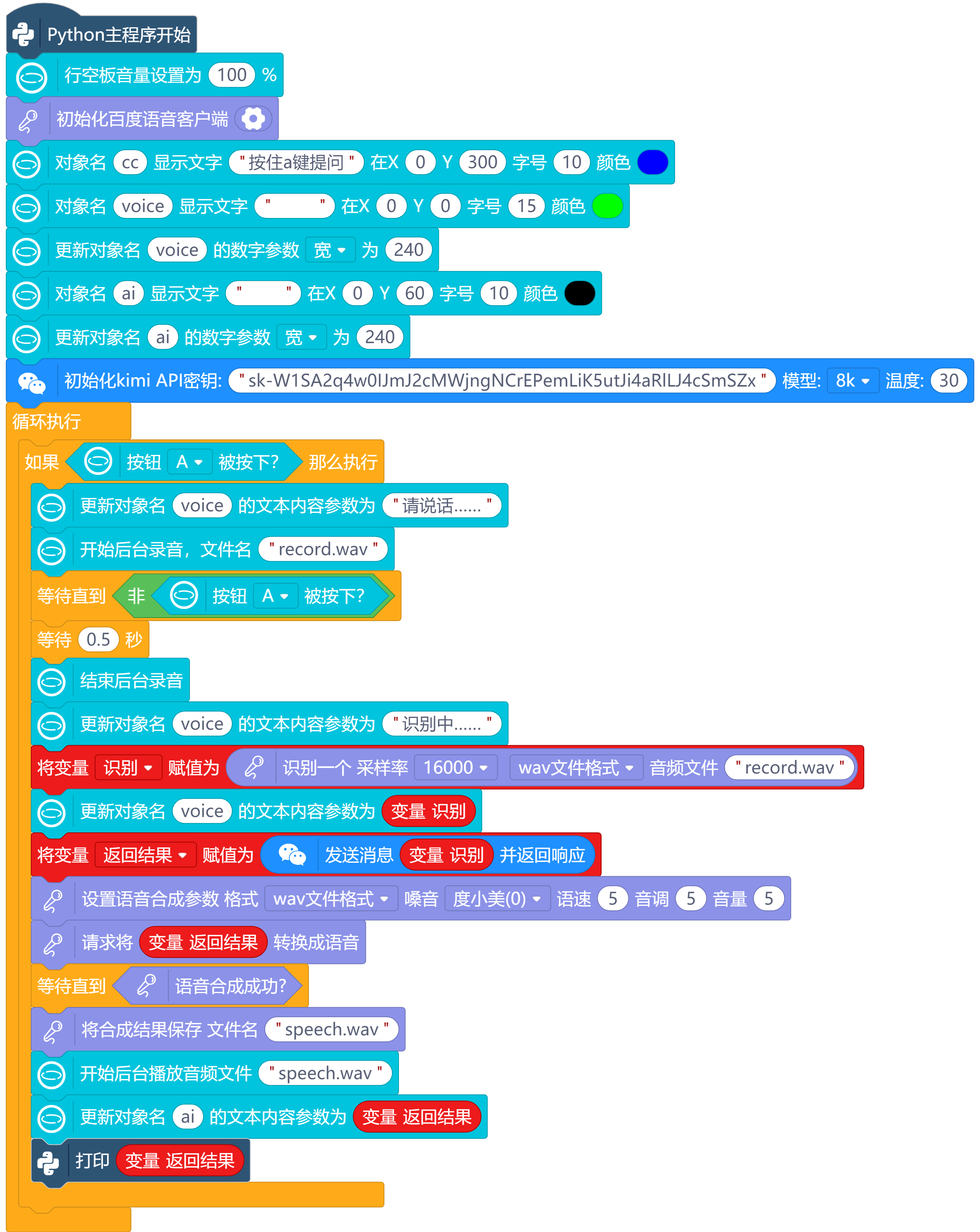
二、在电脑端实现与大语言模型聊天
1.硬件清单:
电脑。
麦克风一个。
2.实现环境:
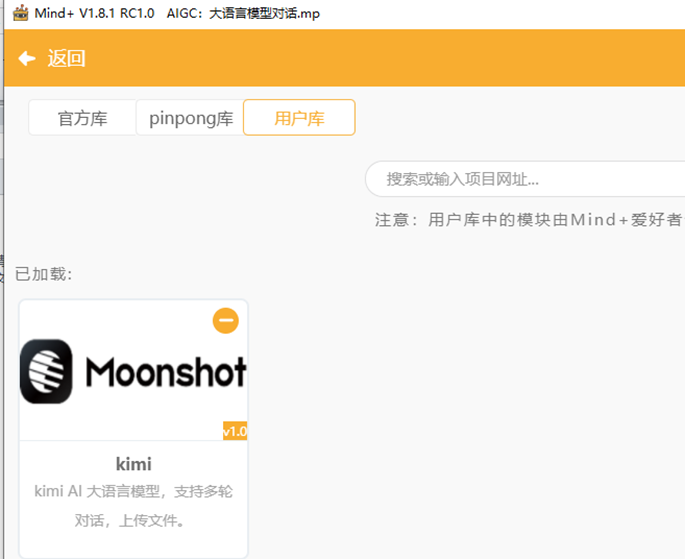
利用Mind+图形化编程软件python模式,加载百度语音和Kimi图形化编程插件。
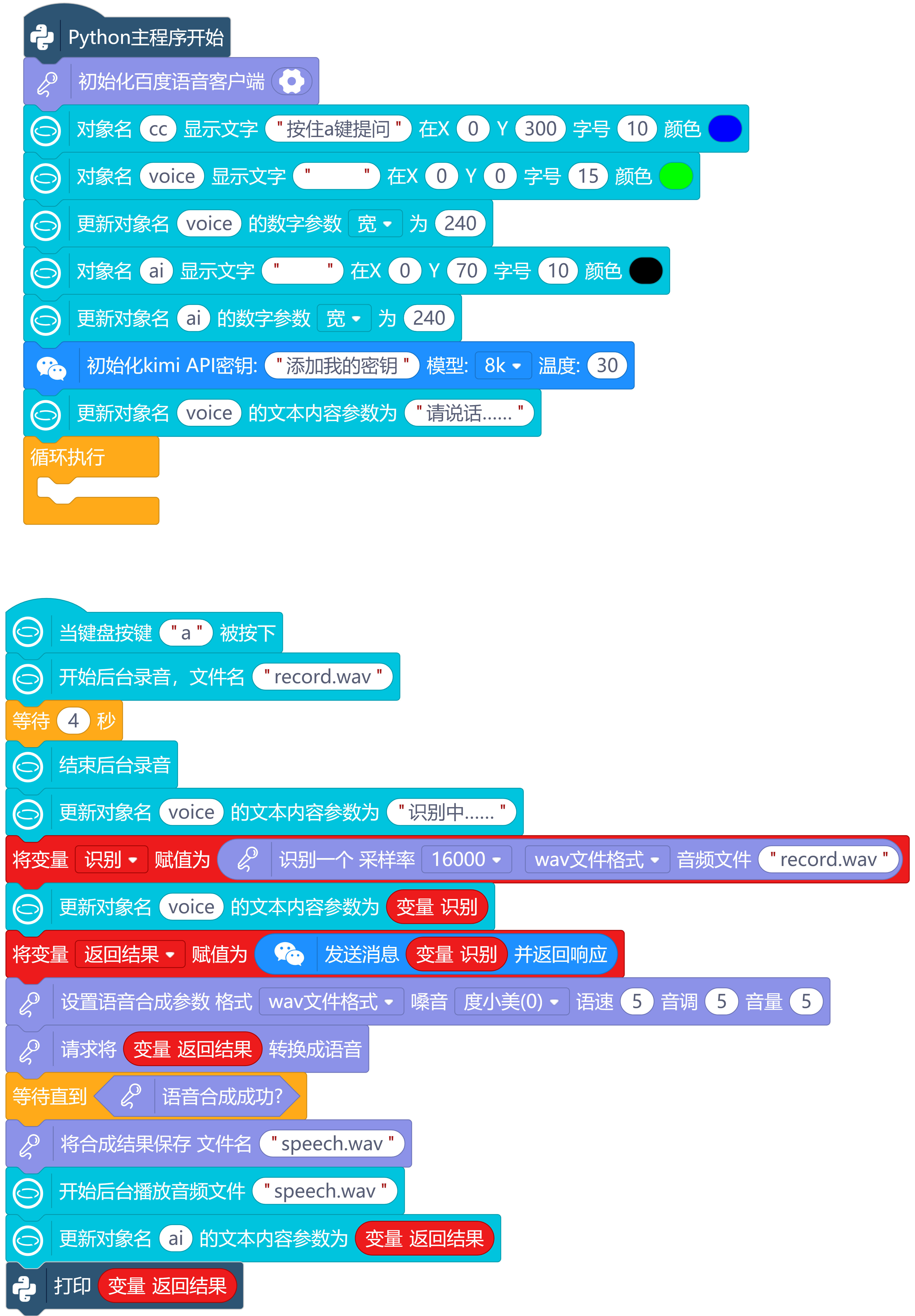
3.编程代码:
4.运行调试,视频如下:
三、利用python编程在电脑端与大语言模型聊天
1.硬件清单:
电脑。
麦克风一个。
2.实现环境:
利用python编程,加载百度语音和Kimi的API。
3.编程代码:
# -*- coding: UTF-8 -*-
# MindPlus
# Python
import time
from unihiker import GUI
from aip import AipSpeech
import openai
import json
from unihiker import Audio
def readAudio(src):
try:
with open(src, "rb") as f:
return f.read()
except FileNotFoundError as e:
print(f"[文件不存在] {e}")
return None
except TypeError as e:
print(f"[输入类型异常] {e}")
return None
except BaseException as e:
print(f"[通用异常] {e}")
return None
def asr(b, f, r):
global aip_asr_result
aip_asr_result = aip_speech_client.asr(b, f, r)
if aip_asr_result["err_no"] == 0:
return " ".join(aip_asr_result["result"])
else:
print(str(aip_asr_result["err_no"]) + " " +aip_asr_result["err_msg"])
return None
def synthesis(text):
try:
return aip_speech_client.synthesis(text,"zh", 1, aip_synthesis_option)
except Exception:
return aip_speech_client.synthesis(text,"zh", 1)
def synthesisIsOk():
if not isinstance(aip_synthesis_result, dict):
return True
else:
print(str(aip_synthesis_result["err_no"]) + " " + aip_synthesis_result["err_msg"])
return False
def saveAudio(src):
try:
with open(src, "wb") as f:
return f.write(aip_synthesis_result)
except FileNotFoundError as e:
print(f"[文件不存在] {e}")
return None
except TypeError as e:
print(f"[输入类型异常] {e}")
return None
except BaseException as e:
print(f"[通用异常] {e}")
return None
# 事件回调函数
def on_a_click_callback():
u_audio.start_record("record.wav")
time.sleep(4)
u_audio.stop_record()
voice.config(text="识别中……")
ShiBie = asr(readAudio("record.wav"), "wav", 16000)
voice.config(text=ShiBie)
FanHuiJieGuo = kimi_chat(ShiBie,kimi_history, kimi_model, kimi_temperature)
global aip_synthesis_option
aip_synthesis_option = {"aue": 6, "per": 0, "spd": 5, "pit": 5, "vol": 5}
global aip_synthesis_result
aip_synthesis_result = synthesis(FanHuiJieGuo)
while not (synthesisIsOk()):
pass
saveAudio("speech.wav")
u_audio.start_play("speech.wav")
ai.config(text=FanHuiJieGuo)
print(FanHuiJieGuo)
u_gui=GUI()
u_audio = Audio()
aip_speech_client = AipSpeech("百度ID", "百度API Key", "百度Secret Key")
u_gui.on_key_click("a", on_a_click_callback)
cc=u_gui.draw_text(text="按一下a键提问",x=0,y=300,font_size=10, color="#0000FF")
voice=u_gui.draw_text(text=" ",x=0,y=0,font_size=15, color="#00FF00")
voice.config(w=240)
ai=u_gui.draw_text(text=" ",x=0,y=70,font_size=10, color="#000000")
ai.config(w=240)
client = openai.OpenAI(api_key="添加我的密钥", base_url="https://api.moonshot.cn/v1")
kimi_model = "moonshot-v1-8k"
kimi_temperature = 0.3
kimi_history = [
{"role": "system", "content": """你是 Kimi,由 Moonshot AI 提供的人工智能助手,
你更擅长中文和英文的对话。你会为用户提供安全,有帮助,准确的回答。
回答问题的时候尽量精简词语,尽量将回答控制在100字以内。
也不需要在回答中添加关于时效性或者是请注意之类的额外说明"""}
]
def kimi_chat(query, kimi_history, kimi_model, kimi_temperature):
kimi_history.append({
"role": "user",
"content": query
})
completion = client.chat.completions.create(
model=kimi_model,
messages=kimi_history,
temperature=kimi_temperature,
)
result = completion.choices[0].message.content
kimi_history.append({
"role": "assistant",
"content": result
})
return result
voice.config(text="请说话……")
while True:
pass
4.运行调试,视频如下:
四、基于行空板实现与大语言模型聊天
1.硬件清单:
行空板M10一块。
语音合成模块一个。
2.实现环境:
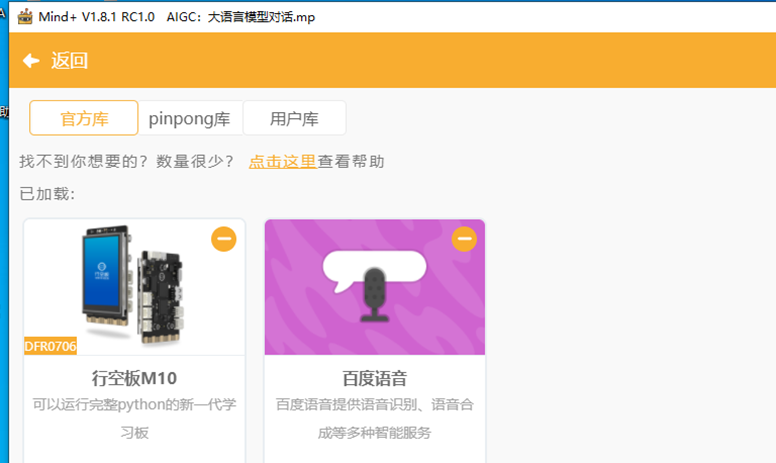
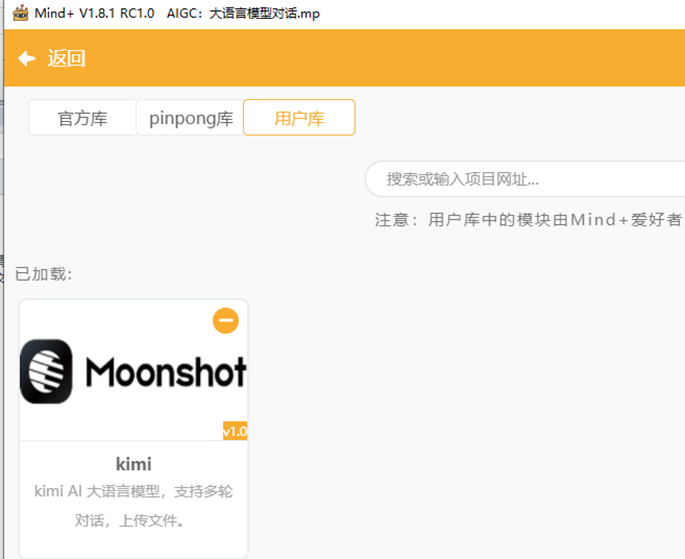
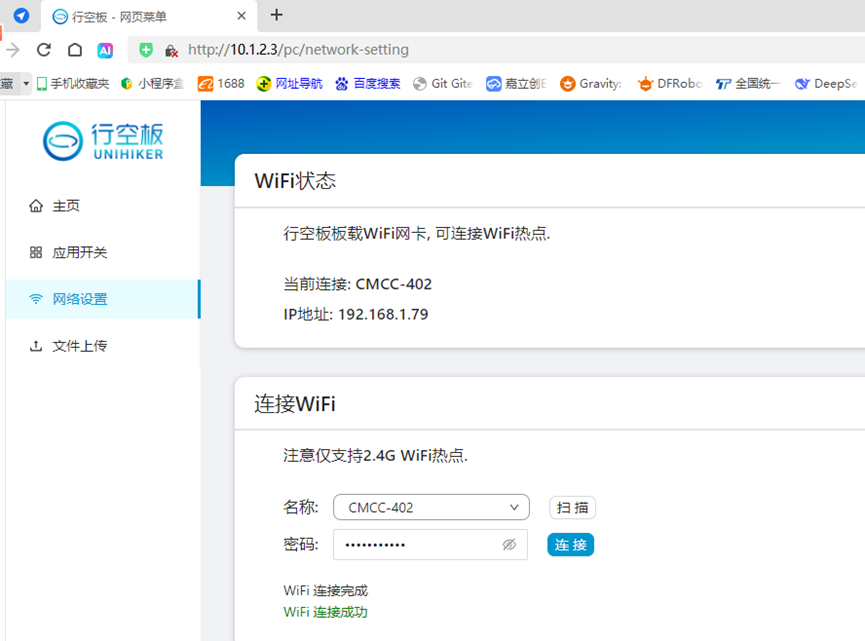
利用Mind+图形化编程软件python模式,为行空板提供WIFI上网信号,加载百度语音和Kimi图形化编程插件。
3.编程代码:
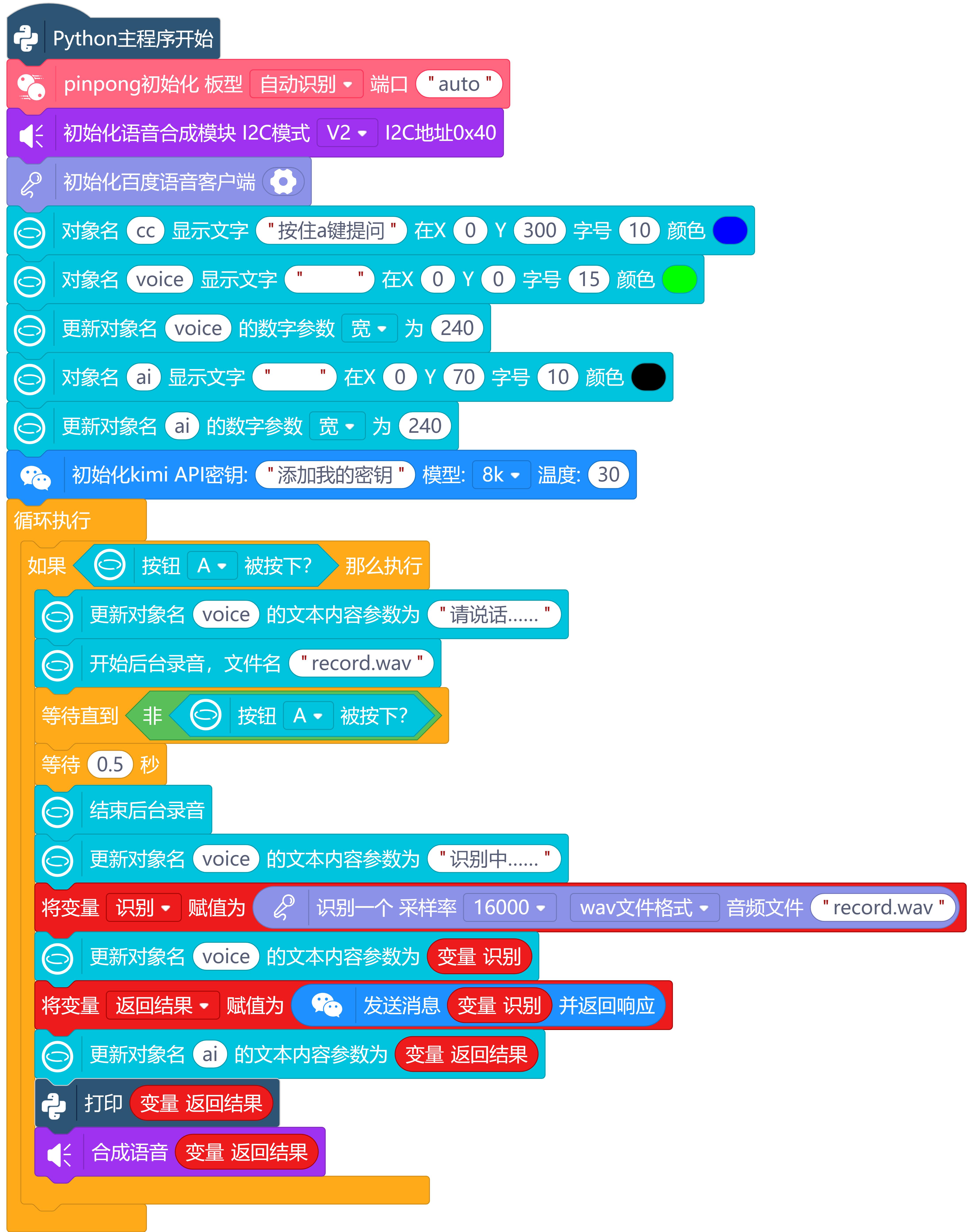
4.运行调试,视频如下:
五、总结对比
1.行空板+USB喇叭成本低,但是USB喇叭性能不稳使用声音控制模块可以控制喇叭正常发音。

2.行空板+语音合成模块成本高,但是发音稳定,V2模式语音合成质量比百度语音效果没什么差别。
3.Mind+图形化编程在电脑端进行只用一个麦克风,更容易实现教学。
4.python代码编程可以调节一些编程参数,更加灵活。



 他的勋章
他的勋章







家有两宝2025.04.10
怎么我提示Traceback (most recent call last): File "/root/mindplus/cache/新建项目-2025-4-10-7-51-3.mp/.cache-file.py", line 116, in <module> ShiBie = asr(readAudio("record.wav"), "wav", 16000) File "/root/mindplus/cache/新建项目-2025-4-10-7-51-3.mp/.cache-file.py", line 33, in asr aip_asr_result = undefined.asr(b, f, r) NameError: name 'undefined' is not defined root@unihiker:~/mindplus/cache/新建项目-2025-4-10-7-51-3.mp#
志学2025.04.10
你需要检查代码,确保在使用语音识别客户端之前,已经对其进行了正确的定义与初始化,并且在调用方法时使用正确的变量名。百度语音的APP_ID、API_KEY 、SECRET_KEY 的设置有问题。